Hear every word. In your own language.
Minbur lets you understand the Friday sermon in your own language, while the imam is still speaking. Here is what it is, who it helps and how it fits into your day.
What is Minbur?
Minbur is a free helper that shows the sermon on your phone, in your language, while the imam is still speaking. You do not need to know anything about computers. Choose your mosque, choose your language, then read or listen. That is all.
Why we made it
Our purpose
No one should sit through a sermon and not understand it.
Our vision
A world where everyone who comes to the mosque understands, and goes home with something to live by.
Our mission
To bring the sermon to each person in the language of their heart. Simply, kindly and free.
Our apps
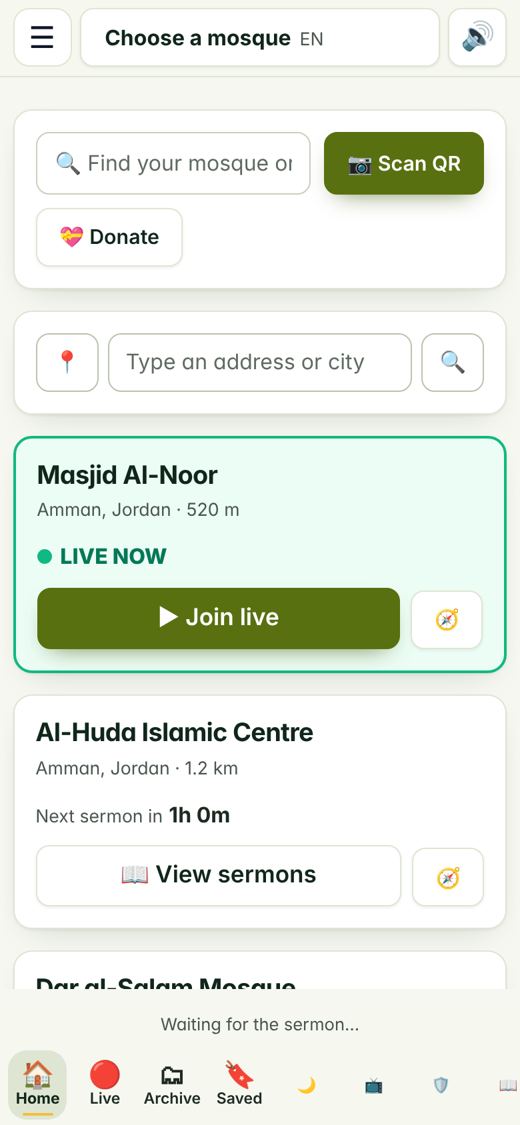
Listener app
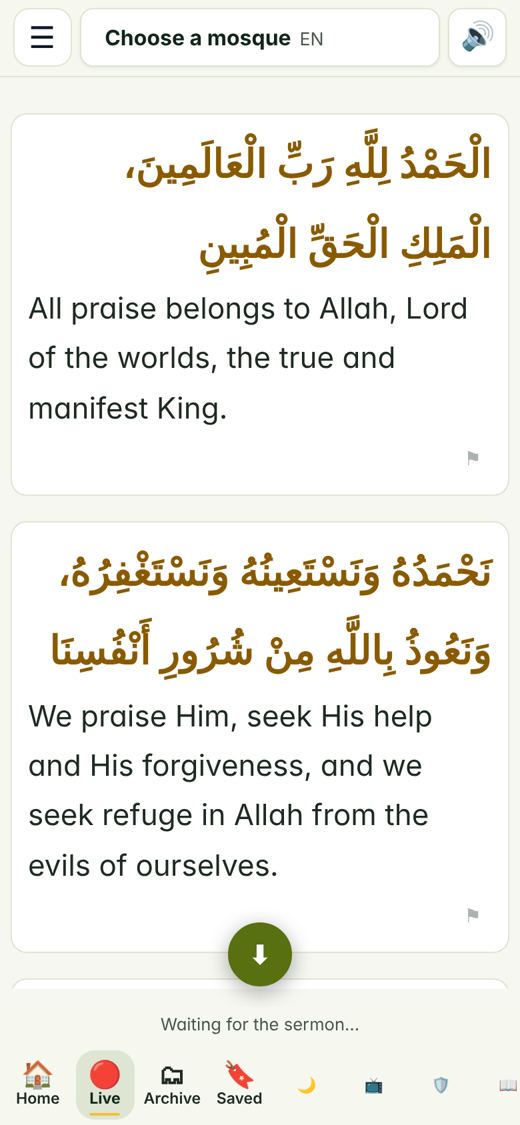
Open it on your phone. Find your mosque and follow the sermon live, line by line.
Mosque portal
A simple page where the mosque team writes sermons, goes live and looks after the community.
Big screen
Show the sermon on the mosque TV so the whole hall can read along.
Daily companions
Prayers, remembrances, the Quran and the date, all in one place for every day.
Every day with you
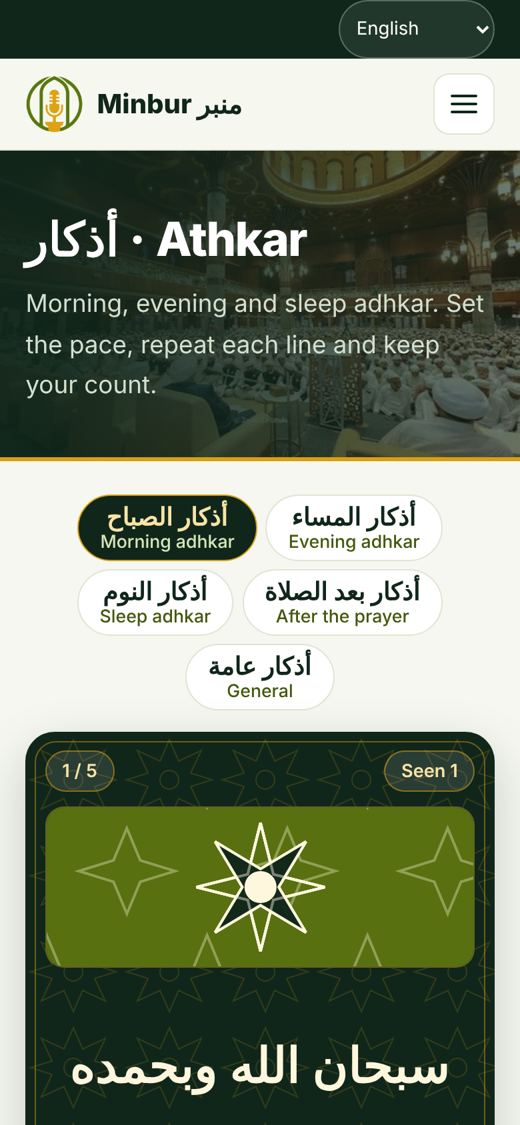
- Athkar
Morning and evening remembrances with a counter. Just tap to count. - Hisn al-Muslim
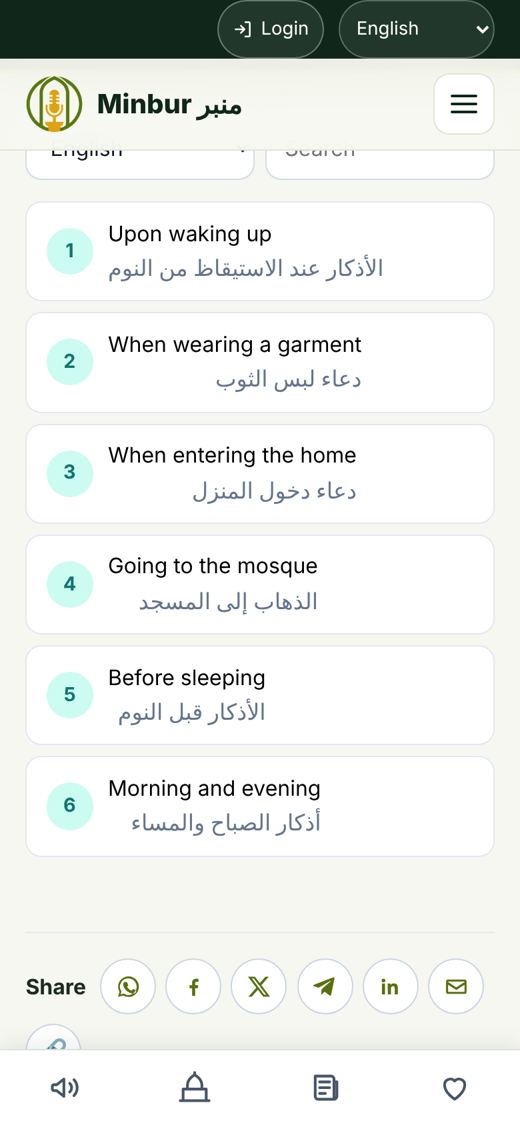
The well known book of everyday prayers, sorted by situation: waking up, travelling, eating and more. - Daily Werd
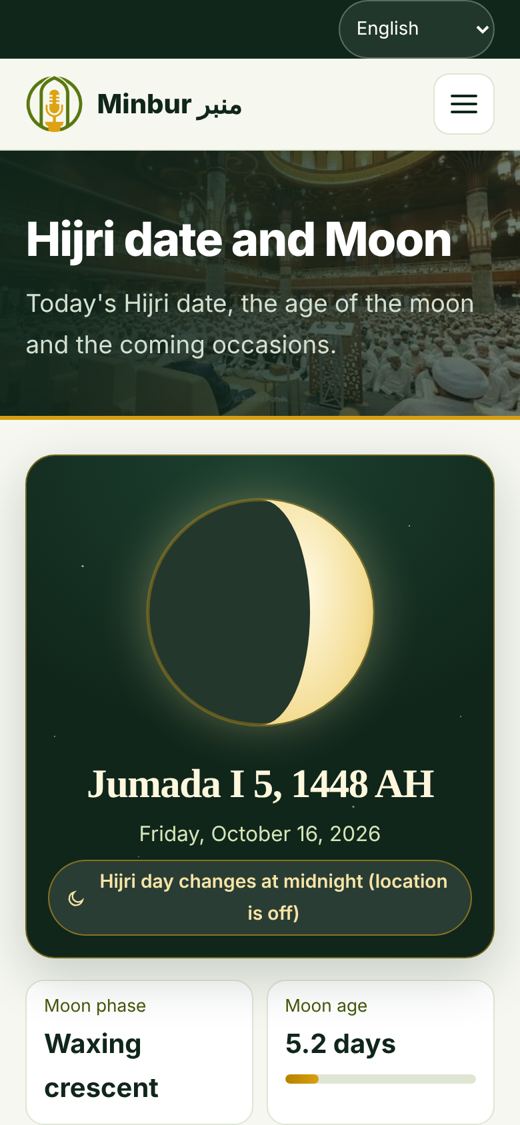
A small part of the Quran each day, so reading becomes a habit. - Hijri date and Moon
Today's Islamic date, the age of the moon and the coming occasions. - Prayer times and Qibla
Know when to pray and which way to face.
For mosques and centres
The mosque portal is made for busy people who are not technical. Everything has a clear name and a big button.
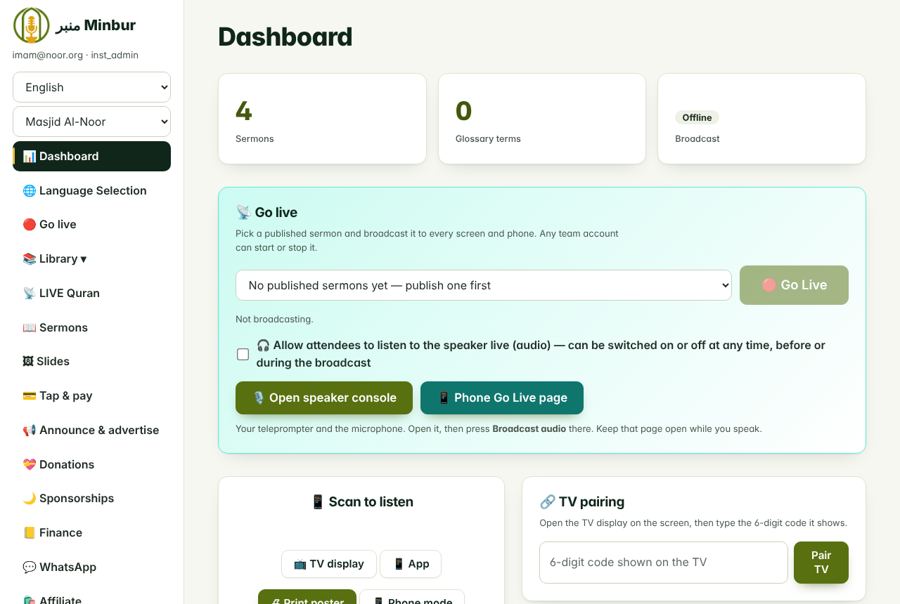
- Go live
Pick a sermon, press one button, and everyone listening sees it at once. - Sermons
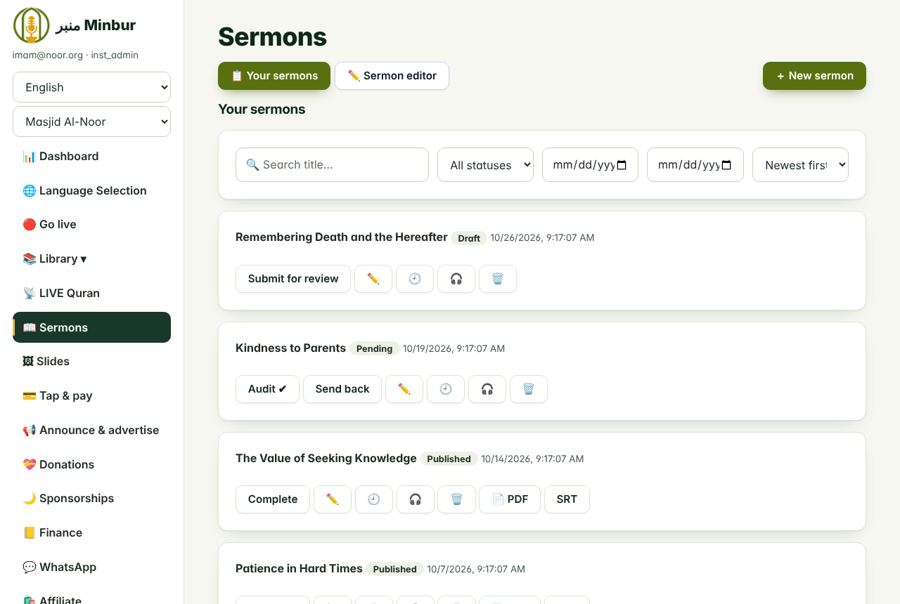
Write the sermon, save it, and keep every past sermon so people can read it again. - Languages
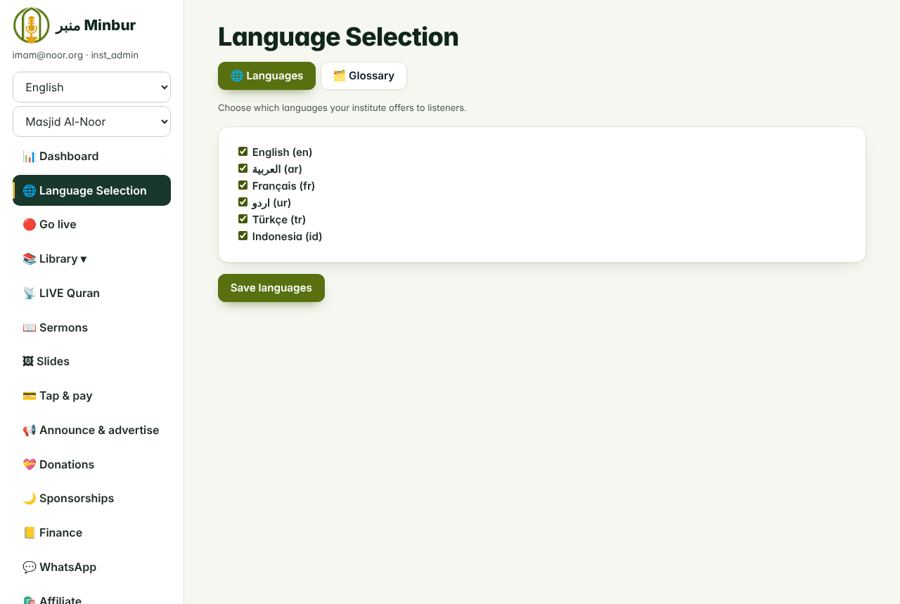
Choose the languages your community needs. Add more at any time. - Library
Find a verse, keep PDF files and share teaching material. - Announcements
Tell the community about events, classes and news. - Giving
Let people give to the mosque in a safe way. - Messages and WhatsApp
Stay in touch with the people who follow your mosque.
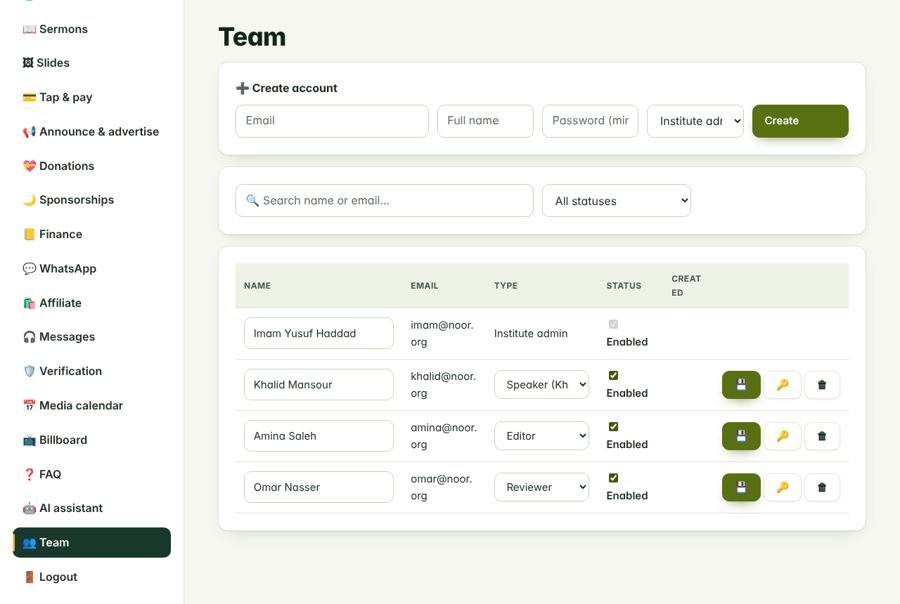
Who does what in a mosque team
A mosque can add helpers. Each person sees only what they need.
- Mosque admin
Opens the account, adds the team and decides who does what. - Speaker (khatib)
Reads the sermon and goes live. - Editor
Prepares the sermon text and makes it clear. - Translator
Writes the sermon in other languages. - Reviewer
Checks the work before it is published. - Media volunteer
Looks after the screen, the sound and the photos.
For the listener
You do not need to sign up to listen. Open the app and follow.
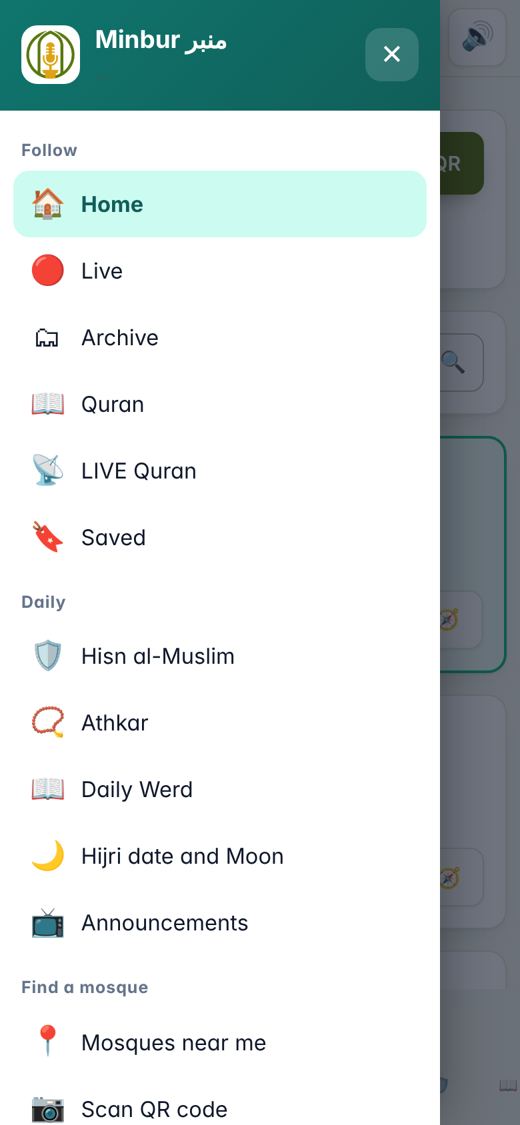
- Find your mosque
Search by name, scan its QR code, or tap Near me. - Join live
When the sermon starts, press Join and the words appear. - Your language
Pick one language. Change it any time. - Read bigger
Make the letters larger or the colours stronger, for tired eyes. - Listen aloud
Let the phone read the translation to you. - Hear the imam
When the mosque allows it, hear the live voice too. - Save lines
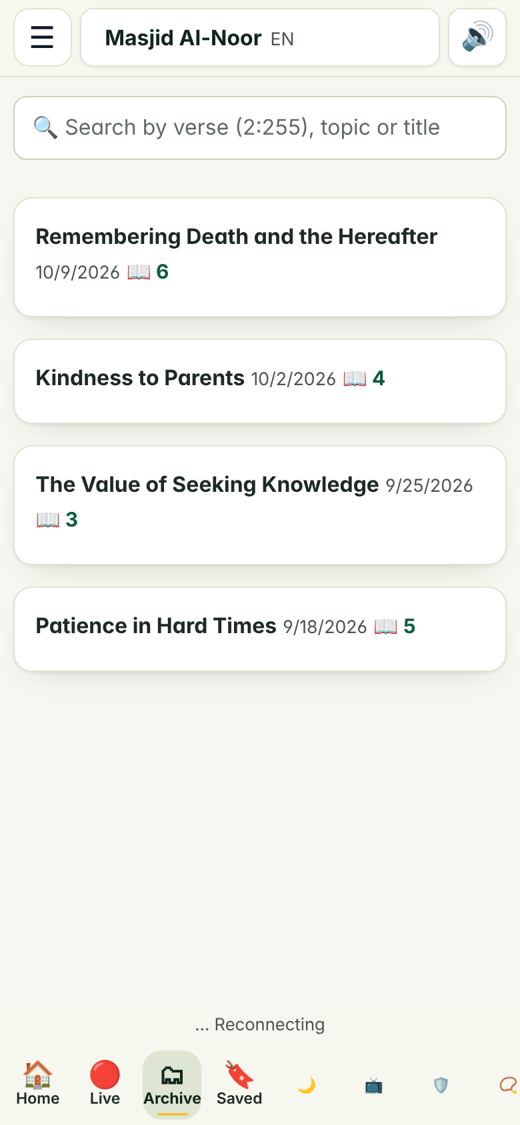
Tap the star on a line you want to keep. - Past sermons
Read earlier sermons whenever you like. - Wrong word?
Tell us if a translation looks wrong, so it can be fixed. - Give or donate
Help your mosque in a few taps.
Most used screens
Words to remember
A sermon you understand stays with you.
One hall. One sermon. Every language.
From a grandmother in the front row to a student at the back, everyone hears the same message.
Made for people, not for computers.
Come and listen
Ask at your mosque if they use Minbur. Open the app, choose your language and listen.